
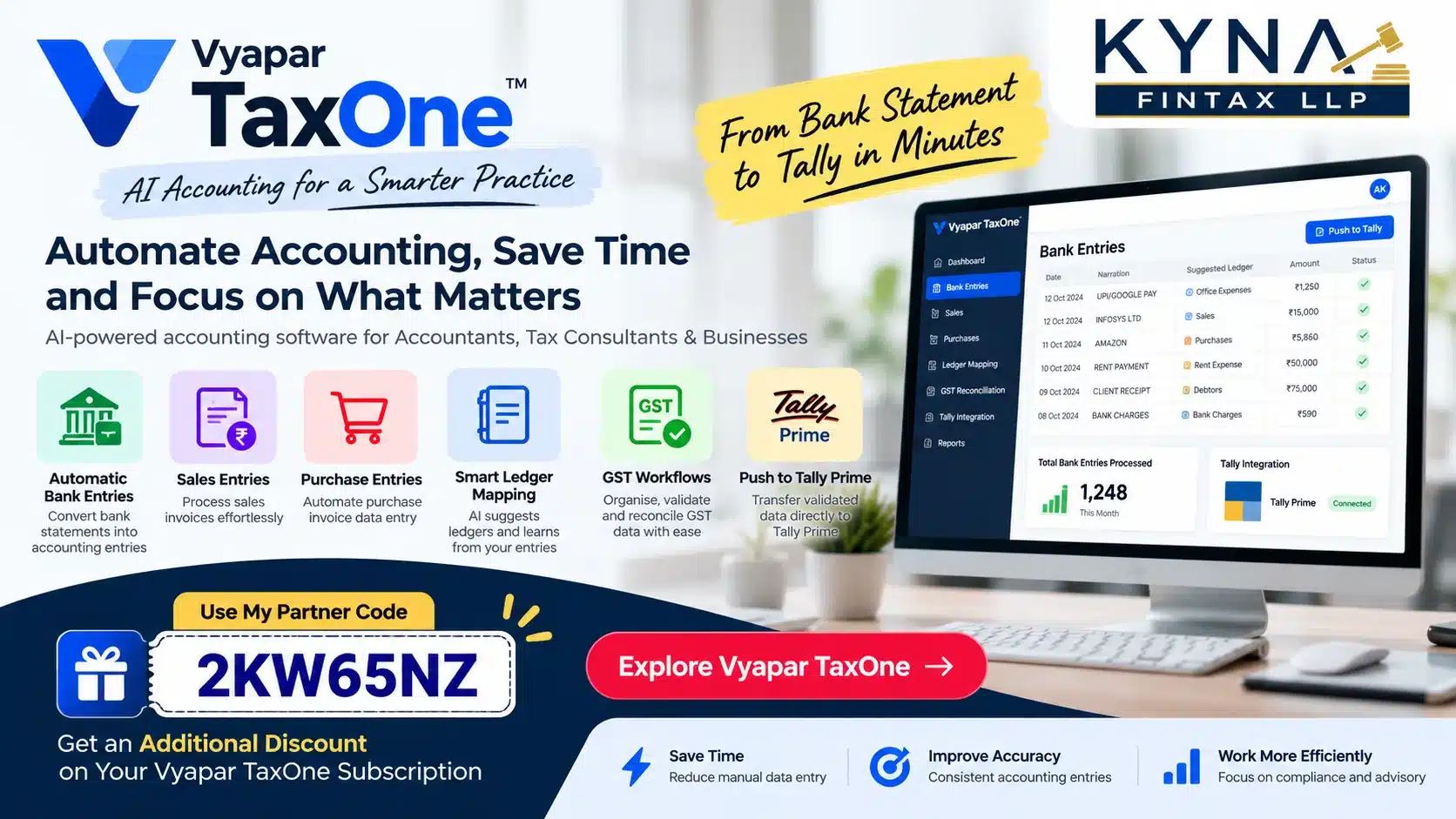
Vyapar TaxOne Review: How AI Accounting Automation Can Simplify Bookkeeping and Tally Prime Data Entry
Published by Kyna Fintax LLP | Accounting, GST and Taxation Insights
Accounting professionals spend a significant amount of time processing bank statements, entering sales and purchase transactions, selecting ledgers, reconciling accounts and preparing books of accounts for GST compliance. When a firm handles multiple clients, these repetitive activities can consume valuable working hours that could otherwise be spent on taxation, financial analysis and client advisory services.
AI-powered accounting automation is changing how accounting firms approach these tasks.
One platform worth exploring is Vyapar TaxOne, an accounting automation solution designed for Chartered Accountants, tax consultants, accountants and professional firms. It offers tools for automating accounting data entry, organising financial documents, integrating with Tally and streamlining certain GST-related workflows.
In this detailed review, we explore its key features, how the accounting workflow operates, its potential benefits, important limitations and the factors professionals should evaluate before purchasing a subscription.
What Is Vyapar TaxOne?
Vyapar TaxOne is an accounting automation and practice-management platform designed for accounting and tax professionals in India. The platform was previously known as Suvit.
Its objective is to reduce repetitive accounting work by helping professionals process financial documents, automate data entry and transfer accounting information into supported systems such as Tally.
Instead of manually recording every transaction, an accountant can use automation tools to process source documents, review suggested accounting classifications and verify the resulting entries.
Depending on the module and workflow used, the platform supports tasks involving:
- Bank statement data entry
- Sales and purchase data processing
- Ledger mapping and accounting classification
- Tally integration
- Financial document organisation
- GST reconciliation and related validation workflows
For firms handling several clients, these capabilities can help standardise repetitive work and improve the efficiency of their accounting processes.
Why Do Accounting Firms Need AI-Based Automation?
Traditional accounting workflows often involve several manual steps.
An accountant receives a bank statement, identifies individual transactions, determines the appropriate ledger, enters vouchers in the accounting software and then reconciles the books. Sales and purchase invoices require additional processing, particularly when a client has a high transaction volume.
The challenge becomes more significant when the firm manages multiple businesses with different ledgers, transaction patterns and accounting requirements.
Common challenges include:
1. Repetitive bank entries
Bank statements may contain hundreds or thousands of transactions. Manually recording each transaction takes time and increases the possibility of data-entry mistakes.
2. Repeated ledger selection
Similar transactions frequently appear in subsequent months. Selecting the appropriate ledger for recurring transactions can become a repetitive task.
3. Sales and purchase data entry
Processing invoice information manually can delay the preparation of books, particularly for businesses with a large number of transactions.
4. Accounting backlogs
When source documents arrive late or transaction volumes increase, accounting teams may struggle to complete monthly bookkeeping on time.
5. Limited time for professional work
When staff spend most of their time entering data, less time remains for reconciliation, GST review, compliance checks and client communication.
Automation tools aim to reduce these repetitive activities while allowing accounting professionals to retain control over the final books.
Key Features of Vyapar TaxOne
1. Bank Statement Automation
Bank statement processing is one of the most useful areas of accounting automation.
A business bank statement may contain receipts from customers, payments to suppliers, bank charges, loan instalments, transfers between accounts and numerous other transactions.
With supported bank statement automation, the software helps convert statement data into structured accounting information.
Depending on the file format and supported workflow, bank statements can be processed from formats such as Excel, PDF and scanned PDF.
Potential benefits include:
- Reducing manual transaction-by-transaction data entry
- Processing large volumes of banking information more efficiently
- Mapping transactions to relevant ledgers
- Preparing entries for review and posting into Tally
- Reducing repetitive work during monthly bookkeeping
However, accountants should carefully review opening balances, closing balances, transaction dates, duplicate entries and ledger classifications before finalising the books.
2. Automatic Ledger Mapping
Ledger selection is an important part of bookkeeping.
For example, a business may regularly make payments for rent, electricity, internet services, salaries, professional fees and supplier invoices.
In a manual workflow, the accountant repeatedly identifies the transaction and selects the relevant ledger.
An automated workflow can suggest ledger classifications based on recognised transaction patterns and previous mappings.
Once an accountant corrects and confirms a mapping, similar transactions may be classified more efficiently in subsequent processing, depending on the software’s supported functionality.
This is particularly useful when handling recurring transactions across multiple accounting periods.
Nevertheless, a bank narration alone may not establish the correct accounting treatment. Transactions involving loans, capital introduced, personal expenses, GST, advances and transfers between bank accounts require appropriate accounting judgement.
3. Sales Entry Automation
Sales data entry involves recording sales transactions, maintaining customer accounts and ensuring that the accounting records reflect the underlying invoices.
Vyapar TaxOne’s published feature information includes sales data processing through supported formats and workflows.
This can help accounting teams reduce repetitive work when processing sales information for Tally.
The practical workflow may involve:
- Collecting the relevant sales invoices or supported sales data.
- Processing the available documents.
- Mapping the information to the appropriate accounting structure.
- Reviewing the generated entries.
- Transferring the processed data into Tally through the supported integration.
Before posting, the accountant should check the sales ledger, customer account, taxable value, GST classification, tax amounts and invoice details wherever applicable.
The exact level of automation will depend on the source documents, configuration and module being used.
4. Purchase Entry Automation
Purchase entry processing is another important accounting task.
Businesses may have purchase invoices from numerous suppliers, each with different invoice formats, tax treatments and accounting classifications.
Automation can help extract and organise supported purchase information and prepare accounting entries for review.
Potential benefits include:
- Faster processing of purchase invoices
- Reduced repetitive data entry
- More consistent ledger mapping
- Improved handling of large document volumes
- Easier preparation of accounting data for Tally
However, purchase booking and input tax credit eligibility are not the same thing.
The accountant must independently assess the applicable GST provisions, invoice requirements, business purpose, eligibility restrictions and reconciliation requirements before claiming ITC.
Software-generated entries should not be treated as a substitute for professional verification.
5. Tally Prime Integration
For accounting firms that already maintain their clients’ books in Tally Prime, integration is an important consideration.
Vyapar TaxOne’s official website describes Tally integration as part of its accounting data-entry workflow.
The platform’s published features include processing accounting data and transferring supported information into Tally.
A typical workflow may look like this:
Step 1: Collect the source documents
Obtain the client’s bank statements, sales information, purchase invoices and other relevant records.
Step 2: Process the documents
Use the supported automation tools to convert source information into structured accounting data.
Step 3: Review ledger mapping
Check the suggested ledger accounts, voucher types and transaction classifications.
Step 4: Validate the entries
Review the generated information and resolve discrepancies before posting.
Step 5: Transfer the data to Tally
Use the supported integration workflow to send the processed accounting information into the relevant Tally company.
Step 6: Reconcile the books
Verify voucher counts, transaction totals, bank balances, ledger balances and other relevant control totals.
The exact steps may vary depending on the subscription, software configuration and supported integration method.
The key advantage is that the accountant can potentially reduce manual data entry without abandoning an established Tally-based accounting workflow.
6. GST Automation and Reconciliation
GST compliance requires reliable accounting records, correct tax classification and reconciliation of relevant information.
Vyapar TaxOne’s official product information also describes GST-related automation and validation capabilities.
Depending on the module and supported workflow, these tools can assist with organising voucher data, identifying discrepancies and supporting reconciliation activities.
However, GST automation should be understood as assistance rather than a guarantee of compliance.
Tax professionals should continue to verify:
- Correct GSTIN and party details
- Taxable values and applicable tax rates
- CGST, SGST and IGST classification
- Purchase invoice and ITC eligibility requirements
- Differences between books and relevant GST records
- Applicable filing requirements and statutory deadlines
The final compliance decision should remain with the responsible professional.
How Does Ledger Learning Help Save Time?
One of the most useful concepts in accounting automation is learning from previously confirmed transaction mappings.
Consider the following illustrative example.
A business receives a recurring monthly internet service bill. During the initial setup, the accountant identifies the correct expense ledger and confirms the mapping.
When a similar transaction appears in a later statement, the system may recognise the transaction pattern and suggest the previously used ledger.
Instead of repeating the entire classification process, the accountant can review the suggestion and proceed.
The same principle can be useful for recurring rent payments, electricity bills, bank charges and other predictable transactions.
This does not mean every transaction should automatically be posted without review. Changes in narration, supplier identity, transaction purpose or accounting treatment can produce incorrect classifications.
The objective is to reduce repetitive effort while preserving accounting control.
Vyapar TaxOne vs Manual Accounting in Tally Prime
| Activity | Manual workflow | Automation-assisted workflow |
|---|---|---|
| Bank statement processing | Transactions entered manually | Supported statement data processed automatically |
| Ledger selection | Repeated manual selection | Suggested or remembered mappings |
| Sales data entry | Manual invoice-wise processing | Supported sales data processed into accounting information |
| Purchase data entry | Manual invoice-wise processing | Supported purchase information processed for review |
| Tally posting | Manual voucher creation or import | Supported integration for transferring processed data |
| GST checks | Manual review and reconciliation | Software-assisted validation and reconciliation |
| Final verification | Accountant’s responsibility | Accountant’s responsibility |
The actual benefit depends on transaction volume, data quality, existing processes and the level of automation available in the selected plan.
For very small businesses with limited transactions, manual entry may remain practical. For firms managing multiple clients and recurring transaction volumes, automation may offer a more meaningful productivity improvement.
Who Should Consider Vyapar TaxOne?
The platform may be worth evaluating for the following users.
Chartered Accountant firms: Firms handling bookkeeping, GST compliance and recurring client accounting assignments.
Tax consultants: Professionals who want to reduce repetitive accounting work and devote more time to compliance and advisory services.
Accounting service providers: Teams processing bank statements, invoices and financial records for multiple clients.
In-house accountants: Businesses that maintain their books in Tally and regularly process large amounts of financial data.
Growing accounting practices: Firms looking to improve their capacity without increasing manual data-entry work in direct proportion to client growth.
The suitability of the software depends on the firm’s existing accounting systems, document volume, staffing structure and budget.
Important Limitations and Checks Before Purchasing
AI accounting automation can improve productivity, but it should not be treated as a replacement for accounting expertise.
Before purchasing a subscription, consider the following points.
Accuracy of ledger mapping: Check how the platform handles ambiguous bank narrations and recurring transactions with different accounting treatments.
Source document quality: Poor scans, incomplete invoices and inconsistent data may require additional manual intervention.
Tally compatibility: Confirm compatibility with your installed Tally Prime version and your existing company data structure.
Data security: Review access controls, data retention, backup arrangements, confidentiality terms and the provider’s data-handling policies before uploading client financial information.
Subscription limits: Check the available modules, supported formats, user limits, transaction limits and applicable charges.
GST and accounting review: Determine which steps are automated and which require manual verification.
Support and onboarding: Ask about implementation assistance, staff training and technical support.
A trial using representative, non-sensitive sample data can help establish whether the product fits your actual workflow.
Vyapar TaxOne Pricing and Subscription
Subscription pricing and promotional offers may change over time.
The official pricing page should be consulted before making a purchase to confirm the current subscription price, GST, available modules, trial conditions and renewal terms.
Official pricing page: https://taxone.vyapar.com/pricing
Before selecting a plan, compare the subscription cost with the expected reduction in manual processing time and the additional capacity it may create for your accounting practice.
For an accounting firm, the relevant question is not simply whether the software is inexpensive. It is whether the verified productivity benefit justifies the cost.
How to Purchase Vyapar TaxOne Using My Partner Code
If you are considering Vyapar TaxOne for your accounting practice, you can explore the official platform and check the available subscription options.
My Partner Code: 2KW65NZ
You may be eligible for an additional discount by using this partner code, subject to the provider’s applicable offer terms and eligibility conditions.
How to proceed:
- Visit the official Vyapar TaxOne website.
- Review the available features and subscription plans.
- Contact the provider or begin the available trial if you need to test the workflow.
- During the applicable purchase or registration process, enter partner code 2KW65NZ wherever the provider permits it.
- Confirm that the code has been accepted and that the applicable discount is reflected before completing payment.
Official website: https://taxone.vyapar.com/
Please confirm the discount directly with the provider before payment. The availability and amount of any additional discount cannot be guaranteed without confirmation of the current offer.
Frequently Asked Questions About Vyapar TaxOne
General Questions About Vyapar TaxOne
1. What is Vyapar TaxOne accounting software?
Vyapar TaxOne is an AI-powered accounting automation platform designed for Chartered Accountants, tax consultants, accountants and businesses in India. It helps streamline accounting data entry, bank statement processing, sales and purchase transactions, ledger mapping, Tally integration and GST-related workflows.
The platform aims to reduce repetitive manual accounting work by converting supported financial documents into structured accounting data. Users can review the processed information and transfer supported entries into Tally.
Vyapar TaxOne was previously known as Suvit. Its current product offering includes data entry automation and GST automation, with additional practice-management and client communication capabilities described on its official website.
For accounting firms managing multiple clients, the platform can help standardise repetitive workflows and potentially free up time for reconciliation, taxation and professional advisory work.
2. What is Vyapar TaxOne used for?
Vyapar TaxOne is primarily used to automate repetitive accounting and tax-related activities. Depending on the module and subscription, its applications include:
- Converting supported bank statements into accounting entries.
- Processing sales and purchase data in bulk.
- Extracting invoice information from supported documents.
- Suggesting appropriate ledger mappings.
- Transferring processed accounting entries into Tally.
- Supporting GST data reconciliation and validation.
- Organising client documents and accounting workflows.
It is particularly relevant for accounting professionals who want to reduce manual data entry while continuing to use their existing accounting systems.
3. Is Vyapar TaxOne the same as Suvit?
Yes. Vyapar TaxOne is the current brand name of the platform previously known as Suvit. Users researching Suvit accounting software, Suvit AI accounting, Suvit Tally automation or Vyapar TaxOne may therefore encounter information under either name.
When evaluating older reviews or tutorials, check whether the information relates to the current product, its latest features and its present subscription terms.
Official website: https://taxone.vyapar.com/
4. Is Vyapar TaxOne an AI accounting software?
Vyapar TaxOne markets AI-powered accounting automation capabilities that help process supported financial documents, identify transaction information and suggest ledger mappings.
For example, an accountant can upload a supported bank statement or invoice document for processing rather than manually entering every transaction from scratch.
The accountant can then review the extracted information, correct classifications where necessary and transfer the resulting entries to Tally through the supported workflow.
AI-assisted accounting can reduce repetitive work, but the quality of the results depends on source document quality, transaction details, configuration and human verification.
Bank Statement and Accounting Automation
5. Can Vyapar TaxOne automatically convert bank statements into Tally entries?
Yes. Bank statement processing and Tally-ready accounting data are core features advertised by Vyapar TaxOne.
Users can upload supported bank statements, including eligible Excel and PDF files. The platform processes the transactions and helps organise them into accounting entries with appropriate ledger classifications.
A typical workflow involves uploading the statement, selecting the relevant company, reviewing processed transactions, checking ledger mappings and transferring the verified entries to Tally.
Supported formats and processing requirements should be checked before uploading statements. Not every bank statement format or document type is necessarily supported.
6. Which bank statement formats are supported by Vyapar TaxOne?
Vyapar TaxOne’s published pricing information lists Excel, PDF and scanned PDF formats for bank statement automation.
However, support can depend on the actual statement structure, document quality and the provider’s current processing requirements.
Password-protected PDFs, passbooks and certain specialised statement formats may not be supported in the standard workflow. Users should consult the official help documentation if a statement fails to process.
Official guide: https://taxone.vyapar.com/help/articles/import-the-bank-statement
7. Can Vyapar TaxOne automatically select the correct ledger for bank transactions?
Vyapar TaxOne provides ledger mapping suggestions designed to help accountants classify transactions more efficiently.
For example, a recurring electricity payment, internet bill or bank charge may be recognised based on previously established mappings and transaction information. The system can then suggest an appropriate ledger for review.
Once an accountant confirms a mapping, similar transactions may be processed more efficiently in subsequent periods.
However, similar bank narrations do not always represent identical accounting treatments. Transfers between accounts, loan repayments, capital introductions, personal expenses and supplier payments may require separate consideration.
The accountant should verify ledger classifications before finalising the entries.
8. Does Vyapar TaxOne learn from previous ledger selections?
Its data automation features include intelligent ledger suggestions that use past data to help improve transaction classification.
This can be useful when a business repeatedly makes similar payments or receives recurring receipts.
For example, once a recurring expense has been mapped to the correct ledger, a similar transaction may receive the same suggested classification in a later statement.
The precise behaviour depends on the supported mapping rules, transaction information and configuration. Accountants should not assume that every new transaction will be classified correctly without review.
9. Can Vyapar TaxOne automate sales and purchase entries?
Yes. Vyapar TaxOne advertises sales and purchase data automation, including processing supported Excel files, PDFs and invoice images.
The platform can help extract and organise transaction information, prepare accounting entries and transfer supported data to Tally.
This can reduce repetitive voucher creation for businesses and accounting firms that process large volumes of invoices.
Before posting, users should verify party names, invoice numbers, dates, taxable values, tax amounts, ledger classifications and other relevant details.
10. Can Vyapar TaxOne process multiple accounting entries in bulk?
Vyapar TaxOne supports bulk processing of supported banking, sales and purchase data.
Bulk processing can be particularly useful for accounting firms that receive large transaction files or numerous invoices from clients.
Instead of entering each transaction individually, the accountant can process a batch of documents, review the resulting information and transfer the verified entries through the supported workflow.
Actual processing capacity, file requirements and transaction limits should be confirmed against the current subscription and product documentation.
Vyapar TaxOne and Tally Prime Integration
11. Can I use Vyapar TaxOne with Tally Prime?
Vyapar TaxOne advertises Tally integration for transferring processed accounting information into Tally.
This makes it relevant for accounting firms that already maintain their clients’ books in Tally Prime and want to reduce manual voucher entry without completely changing their accounting workflow.
Before subscribing, confirm compatibility with your installed Tally Prime version, company configuration, connector requirements and any relevant technical prerequisites.
12. How does Vyapar TaxOne transfer data to Tally Prime?
The typical workflow is to upload supported source documents, process the transactions, review the accounting information, verify the ledger mappings and send the resulting entries to Tally through the supported integration.
Depending on the workflow, the accountant may need to configure the company connection, synchronise ledgers or masters and ensure that Tally is accessible to the integration.
After transfer, verify the voucher count, amounts, dates, ledger balances and any failed transactions.
A successful transfer should not automatically be treated as proof that every accounting entry is correct.
13. Is Vyapar TaxOne better than entering vouchers manually in Tally Prime?
The answer depends on transaction volume, document quality, staff availability and the firm’s existing processes.
Manual entry may be sufficient for a business with very few transactions. However, an accounting firm processing multiple bank statements and hundreds of sales or purchase entries may benefit from automation.
Vyapar TaxOne can help reduce repetitive data entry, suggest ledger mappings and transfer supported transactions into Tally.
The most useful comparison is to measure the time required for a representative set of transactions using both workflows, while checking accuracy, correction time and the total subscription cost.
14. Does Vyapar TaxOne replace Tally Prime?
Not necessarily. Vyapar TaxOne can operate as an automation layer within an accounting workflow that continues to use Tally for maintaining books of accounts.
Its purpose is to automate supported data processing and transfer activities rather than require every firm to abandon its existing accounting system.
The precise role of each product depends on the features selected, integration configuration and the firm’s accounting requirements.
GST Automation and Compliance
15. Can Vyapar TaxOne help with GST reconciliation?
Yes. Vyapar TaxOne advertises GST automation and reconciliation capabilities that can help accountants compare relevant accounting data with GST-related information.
Its published GST features describe workflows involving accounting data from supported sources, GST reconciliation, ITC tracking and validation checks.
These tools may help identify differences that require further investigation, reducing the need for entirely manual comparisons.
However, reconciliation results should be reviewed carefully. A software match does not independently establish that a transaction is eligible for input tax credit or that a return is legally correct.
16. Can Vyapar TaxOne help with GSTR-1 and GSTR-3B compliance?
Vyapar TaxOne advertises GST-related workflows covering return preparation, reconciliation and filing support.
The exact returns, validations, integrations and filing capabilities available should be confirmed against the current product module and subscription.
GST professionals should continue checking outward supplies, tax liability, credit notes, eligible input tax credit, reverse-charge transactions and differences between books and portal data.
The final return should be reviewed against the applicable GST provisions and the client’s actual records.
17. Does Vyapar TaxOne automatically calculate eligible input tax credit?
Accounting and reconciliation tools can help organise purchase information, compare records and identify potential discrepancies relevant to ITC review.
However, eligibility for input tax credit depends on the applicable GST law, the nature of the supply, documentation, statutory conditions and restrictions.
A transaction appearing in an automated reconciliation report should not automatically be treated as eligible ITC.
The responsible tax professional must review the relevant conditions before including the amount in a GST return.
18. Can Vyapar TaxOne eliminate GST errors completely?
No accounting automation platform should be assumed to eliminate every GST or accounting error.
Automation can reduce repetitive data entry, support reconciliation and identify certain inconsistencies. However, incorrect source data, unusual transactions, incorrect mappings and changes in tax treatment can still require manual intervention.
A reliable workflow combines software automation with professional review, reconciliation and appropriate internal controls.
Pricing, Trial and Purchase Questions
19. What is the price of Vyapar TaxOne?
Vyapar TaxOne offers subscription-based access to its accounting automation features.
Its official pricing page has advertised an Unlimited Plan at ₹10,000 per year against a displayed price of ₹20,000, with a seven-day free trial. GST is charged in addition to the listed price.
These figures are a reference to the published offer and may change. Confirm the current price, available features, applicable GST, renewal conditions and promotional eligibility on the official pricing page before purchasing.
Official pricing: https://taxone.vyapar.com/pricing
20. Does Vyapar TaxOne offer a free trial?
The official pricing page has advertised a seven-day free trial.
A trial can help accountants test the software using representative bank statements, invoices, ledger mappings and Tally integration workflows before committing to a paid subscription.
Confirm the current trial terms, eligibility and any setup requirements directly with the provider.
21. Is Vyapar TaxOne worth buying for a CA firm or tax consultancy?
Vyapar TaxOne may be worth evaluating if a firm regularly processes bank statements, sales and purchase data, Tally vouchers and GST-related records.
Its potential value comes from reducing repetitive work, standardising data processing and helping accounting teams handle their workloads more efficiently.
Before purchasing, conduct a practical trial and compare the time saved against the subscription cost. Also consider the quality of the processed entries, training requirements, compatibility and the amount of manual correction still needed.
22. Is Vyapar TaxOne suitable for small businesses?
It may be suitable for small businesses that use supported accounting workflows and want to reduce repetitive data entry, particularly when their books are maintained in Tally.
However, a business with only a handful of transactions may not require a dedicated automation subscription.
The decision should depend on transaction volume, accounting complexity, the value of time saved and the firm’s budget.
Referral Code and Additional Discount
23. How can I get an additional discount on Vyapar TaxOne?
Readers can explore the official Vyapar TaxOne website and check whether an additional partner discount is available.
Kyna Fintax LLP Partner Code: 2KW65NZ
During the applicable registration or purchase process, enter the code where the provider permits partner codes. Before completing payment, verify that the code has been accepted and that the applicable discount is reflected in the final price.
The availability, amount and eligibility of an additional discount depend on the provider’s current offer terms.
Official website: https://taxone.vyapar.com/
24. What is the Kyna Fintax LLP referral code for Vyapar TaxOne?
The Vyapar TaxOne partner code shared by Kyna Fintax LLP is 2KW65NZ.
Accountants, tax consultants and businesses considering the platform can use this code during the applicable purchase process, subject to the provider’s current terms.
Readers should confirm the discount with Vyapar TaxOne before making payment.
25. Can Chartered Accountants and tax consultants use the Kyna Fintax LLP partner code?
Chartered Accountants, tax consultants, accountants and other eligible buyers can check whether the partner code is accepted for their intended subscription.
The code is 2KW65NZ.
Any discount, eligibility conditions or restrictions must be confirmed with the provider at the time of purchase. The code should not be represented as a guaranteed discount unless the offer has been verified.
Data Security and Reliability
26. Is it safe to upload client bank statements and financial documents to Vyapar TaxOne?
Before uploading confidential financial information, accounting firms should review the provider’s privacy policy, data security measures, access controls, data retention terms and applicable contractual conditions.
Bank statements and accounting records can contain sensitive client information. Use authorised accounts, restrict staff access appropriately and avoid uploading unnecessary personal or financial data.
Firms should also ensure that their use of the platform complies with their client confidentiality obligations and internal data-handling policies.
27. Does automated accounting require manual verification?
Yes. Professional verification remains important even when a platform automates document processing and ledger suggestions.
Accountants should review transaction classifications, voucher amounts, party details, bank balances, GST treatment and reconciliation differences.
Automation is most useful when it reduces repetitive work while allowing qualified professionals to focus on exceptions, accuracy and compliance.
Final Buying Decision
28. What is the best accounting automation software for accountants using Tally Prime?
The best software depends on the firm’s transaction volume, source document formats, Tally compatibility, ledger mapping requirements, GST workflows, pricing and support needs.
Vyapar TaxOne is one option to evaluate for accountants seeking bank statement automation, sales and purchase processing, ledger suggestions and Tally integration.
A practical trial using representative transactions is more useful than choosing software based on promotional claims alone.
29. How can an accounting firm reduce manual data entry in Tally Prime?
An accounting firm can reduce manual work by standardising source documents, using supported bank statement and invoice automation, maintaining consistent ledger masters, reviewing suggested mappings and transferring verified entries through a supported Tally integration.
It should also establish a review process for failed transactions, duplicate vouchers, GST classifications and bank reconciliation.
Automation can improve productivity, but the workflow should retain appropriate controls and professional oversight.
30. Where can I find the official Vyapar TaxOne website and support resources?
The official website provides product information, subscription details and access to relevant support resources.
- Official website: https://taxone.vyapar.com/
- Pricing and subscription details: https://taxone.vyapar.com/pricing
- Data entry automation: https://taxone.vyapar.com/data-entry-automation-feature
- GST automation: https://taxone.vyapar.com/gst-reconciliation-feature
Readers can use these resources to check current features, technical requirements, trial availability and purchase conditions before making a decision.
Explore Vyapar TaxOne through the official website and verify whether an additional discount is available with the Kyna Fintax LLP partner code.
Disclosure: This article contains a partner referral code. Kyna Fintax LLP may receive a referral benefit from qualifying purchases. Discounts are subject to the provider’s current terms and confirmation at checkout.
Disclaimer: Product features, subscription prices, integrations and promotional offers may change. Please verify the latest information with the provider before purchasing. This article is for general informational purposes and does not replace professional accounting or tax advice.
About Kyna Fintax LLP
Kyna Fintax LLP shares practical information and insights on accounting, taxation, GST and business compliance to help businesses and professionals make informed decisions.
Contact Kyna Fintax LLP
Need assistance with accounting, taxation, GST compliance or business advisory? Connect with Kyna Fintax LLP for professional support.
Kyna Fintax LLP
- Phone / WhatsApp: +91 74210 82222
- Email: services@kynafintax.com
- Website: https://kynafintax.com
- Office Address: WZ-J4A, 2nd Floor, New Mahavir Nagar, Opp. Metro Pillar No 560, Near Janakpuri East Metro Station, West Delhi – 110018
Get in touch with our team:
Call Now WhatsApp Us